




















Build a Go-Kart
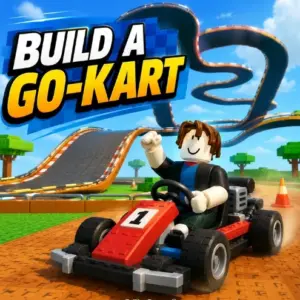
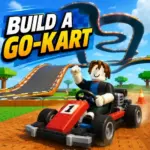
There is a unique kind of satisfaction that comes from designing your own race track from the ground up. Build a Go Kart is a free 3D simulation game that puts you in the driver’s seat and the architect’s chair. Instead of just racing on pre made tracks, you are handed an empty plot of land and the tools to construct a massive karting empire.
You start by placing modular track blocks across an open landscape. Once you snap together your straights, tight bends, and wild drops, you physically hop into your kart and test drive the creation. The best part? Every single lap you complete generates cash. The more creative, efficient, and complex your layout is, the higher your earnings per second will be.
Master the Track Editor
Building your circuit is handled through an incredibly intuitive editor. You have three main tools at your disposal: Build, Rotate, and Remove. You simply select a track piece from your inventory, drop it into the world, and rotate it until it snaps perfectly into your existing route.
Here is the secret to building a profitable empire: every single block type has a specific cash per second value displayed right on the track. You can see at a glance exactly which segments are pulling their weight and which ones are holding your income back. Rearranging your layout to maximize that passive income is where the real strategy comes into play. A massive, sprawling track isn’t always the most profitable if your kart has to slow down constantly for basic corners!
Shop for Rare Parts
Basic straightaways will only get you so far. As your cash reserves grow, you need to visit the Track Parts Shop. The shop features a rotating inventory that refreshes on a strict timer.
While you can always buy common pieces like simple inclines, you want to keep an eye out for the rare items. Narrow bridge sections, elevated spiral structures, and massive 180 degree curved pipes occasionally pop up in the store. These pieces cost more sometimes requiring premium Diamonds but they generate massively higher income per second and allow you to build towering, multi level tracks that look spectacular from the free roaming camera.
Rebirth and Progression
Build a Go Kart runs on a highly addictive progression loop. Alongside the standard cash economy, you will collect Diamonds to unlock premium track parts and custom cosmetic skins for your driver.
Once you have completely maxed out the potential of your current track, you can utilize the Rebirth system. This acts as a prestige mechanic, completely resetting your track but granting you a permanent, massive income multiplier. Your next playthrough will be vastly faster, allowing you to build bigger and more expensive circuits in record time.
Developed by GamePush, this brilliant hybrid of racing and base building runs flawlessly right in your browser. Grab your hard hat, fire up your engine, and start building your empire today on pok6!
Controls
Whether you are fine-tuning a corner on your desktop or testing a jump on your phone, the controls are smooth and responsive:
Move: W, A, S, D (Desktop) / Virtual Joystick (Mobile)
Jump / Exit Kart: Spacebar (Desktop) / Jump Button (Mobile)
Interact (Build/Shop): E (Desktop) / Interact Button (Mobile)
Camera Control: Mouse (Desktop) / Touch & Drag (Mobile)